Internship Report > Worklog - AWS Learning Journey > Week 2 - AWS Networking Services > Day 09 - VPC Connectivity & Load Balancing
Day 09 - VPC Connectivity & Load Balancing
Date: 2025-09-18 (Thursday)
Status: “Done”
Lecture Notes
VPC Peering & Transit Gateway
VPC Peering
- Enables direct, private connectivity between two VPCs without traversing the Internet.
- Does not support transitive routing or overlapping CIDRs.
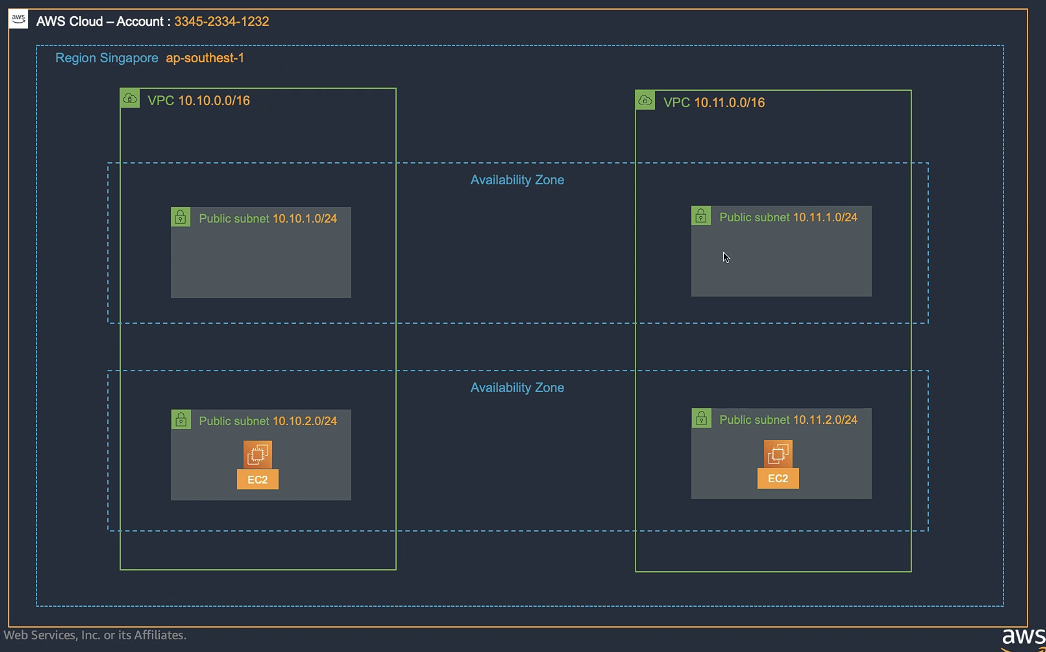
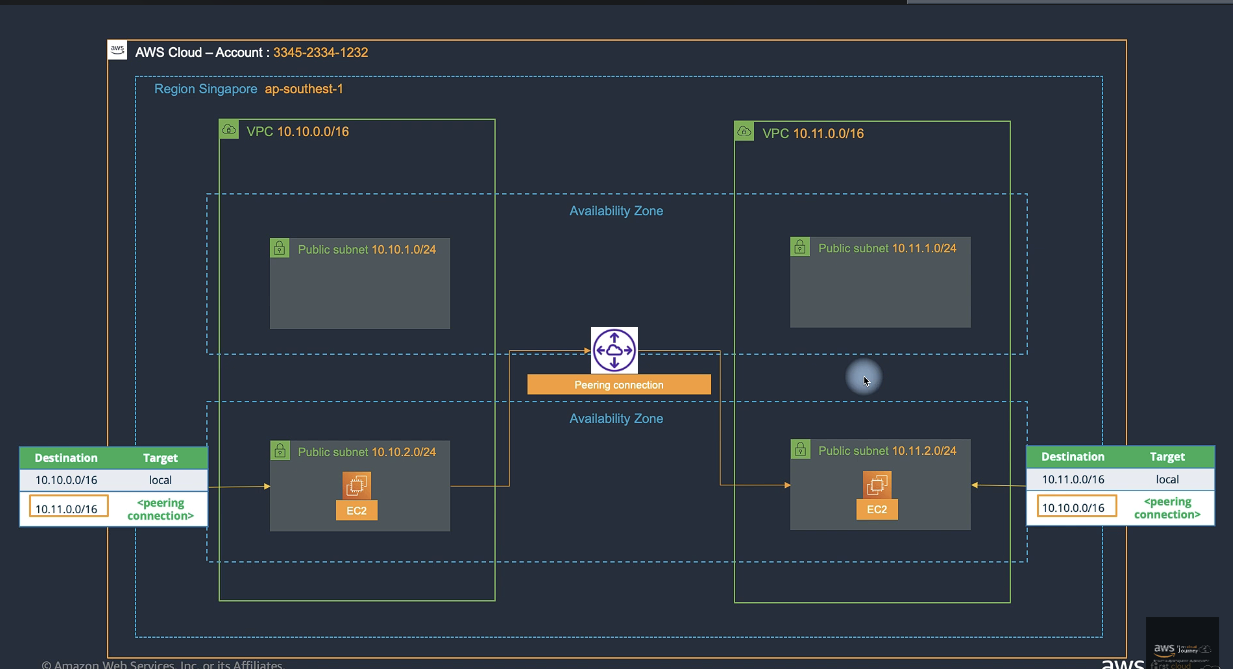
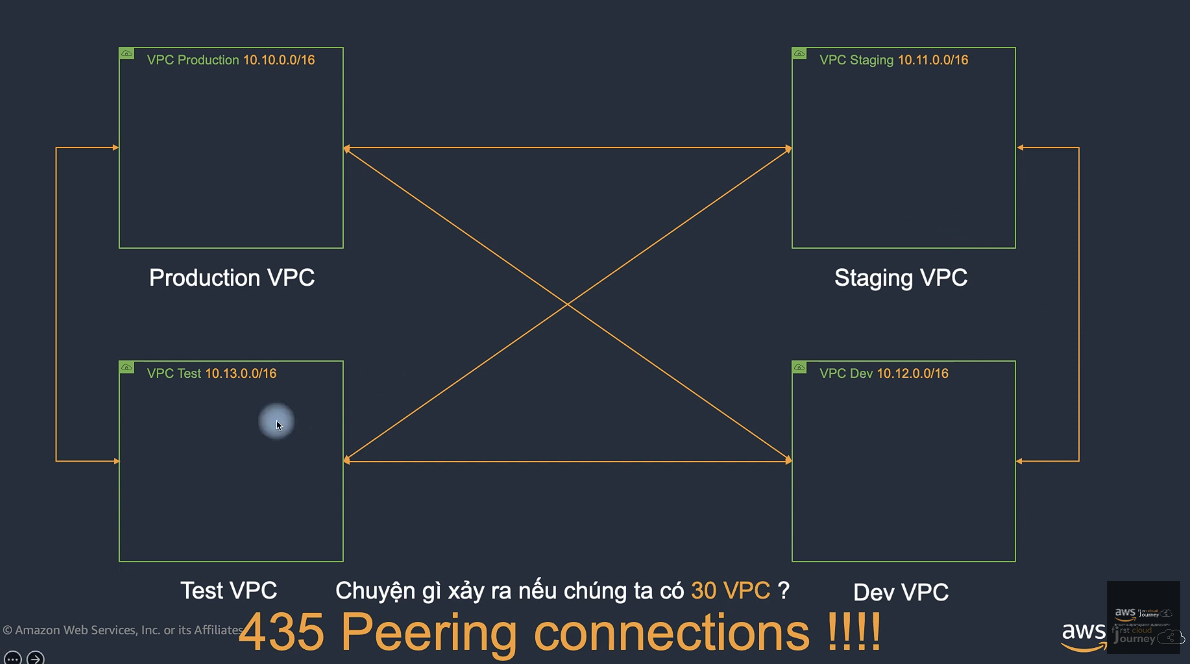
VPC Peering Limitations:
- No transitive peering
- No overlapping CIDR blocks
- Limited to 125 peering connections per VPC
- Cross-region peering supported
AWS Transit Gateway (TGW)
- Acts as a hub to connect multiple VPCs and on-prem networks, simplifying complex mesh topologies.
- TGW Attachments associate subnets in specific AZs with a TGW.
- All subnets within the same AZ can reach the TGW once attached.
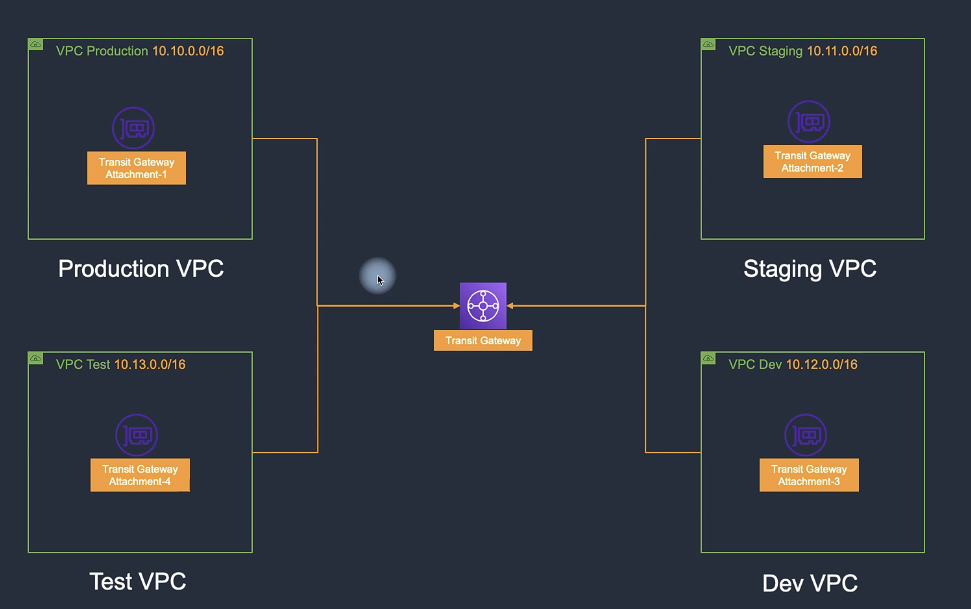
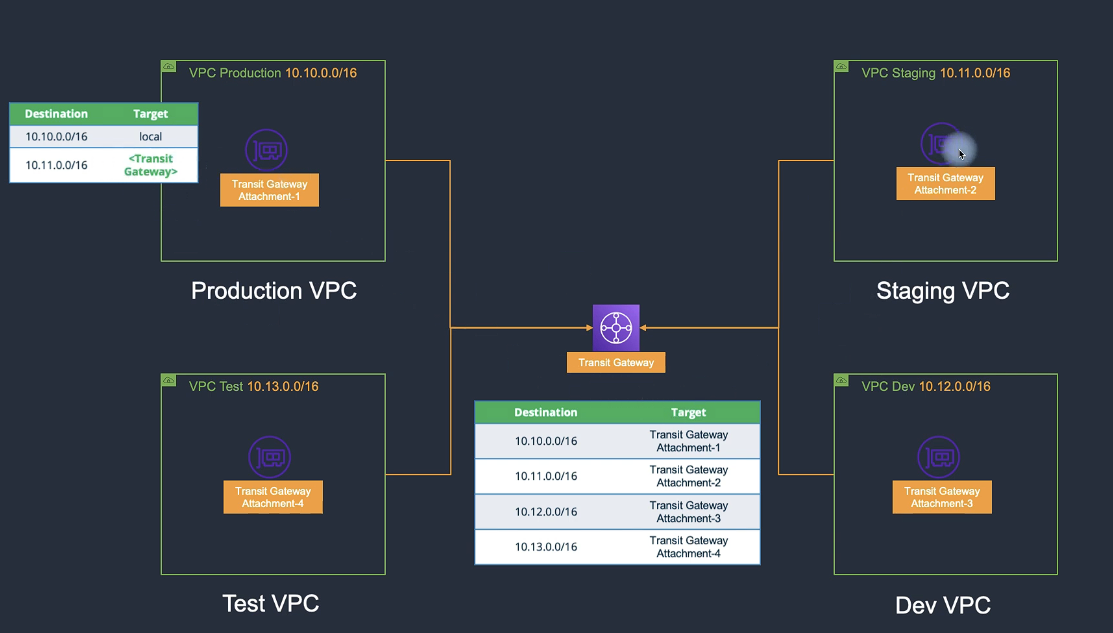
Transit Gateway Benefits:
- Centralized connectivity hub
- Simplified network architecture
- Scalable to thousands of VPCs
- Supports inter-region peering
VPN & Direct Connect
Site-to-Site VPN
- Establishes a secure IPSec connection between an on-premises data center and AWS VPC.
- Consists of:
- Virtual Private Gateway (VGW): AWS-managed, multi-AZ endpoints.
- Customer Gateway (CGW): Customer-managed device or software appliance.
AWS Direct Connect
- Provides a dedicated private network connection between an on-prem data center and AWS.
- Typical latency: 20–30 ms.
- In Vietnam, available through Hosted Connections (via partners).
- Bandwidth is adjustable.
Hands-On Labs
Lab 10 – Hybrid DNS (Route 53 Resolver)
- Generate Key Pair → 10-02.1
- Initialize CloudFormation Template → 10-02.2
- Configure Security Group → 10-02.3
- Set up DNS System → 10-05
- Create Route 53 Outbound Endpoint → 10-05.1
- Create Resolver Rules → 10-05.2
- Create Inbound Endpoints → 10-05.3
Lab 19 – VPC Peering
- Initialize CloudFormation Templates → 19-02.1
- Create Security Group → 19-02.2
- Create EC2 Instance (Test Peering) → 19-02.3
- Create Peering Connection → 19-04
- Configure Route Tables (Cross-VPC) → 19-05
- Enable Cross-Peer DNS → 19-06