Internship Report > Worklog - AWS Learning Journey > Week 5 - AWS Security & Identity > Day 23 - Amazon Cognito & Organizations
Day 23 - Amazon Cognito & Organizations
Date: 2025-10-08 (Wednesday)
Status: “Done”
Lecture Notes
Amazon Cognito
- Managed authentication/authorization and user management for web & mobile apps.
- Components:
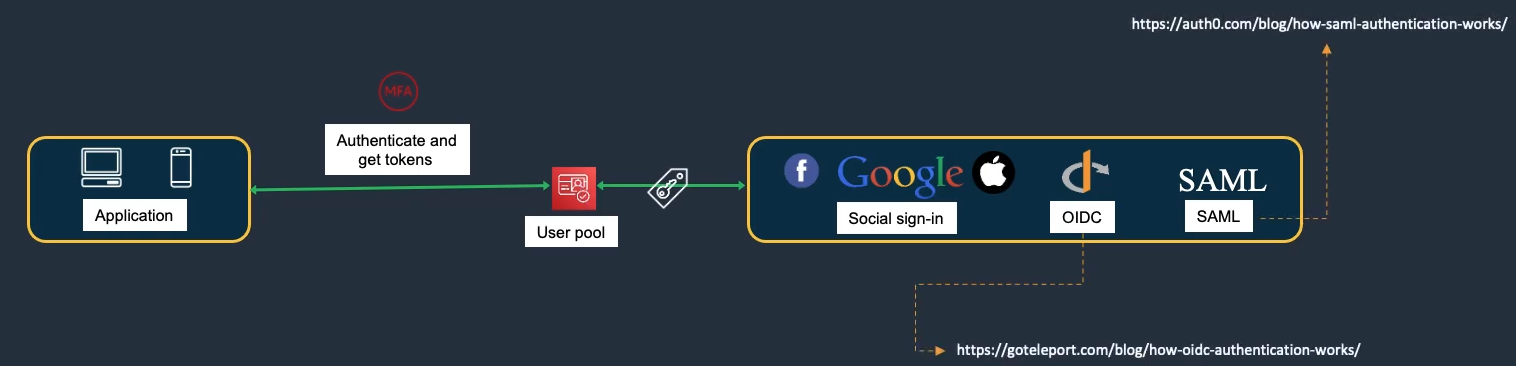
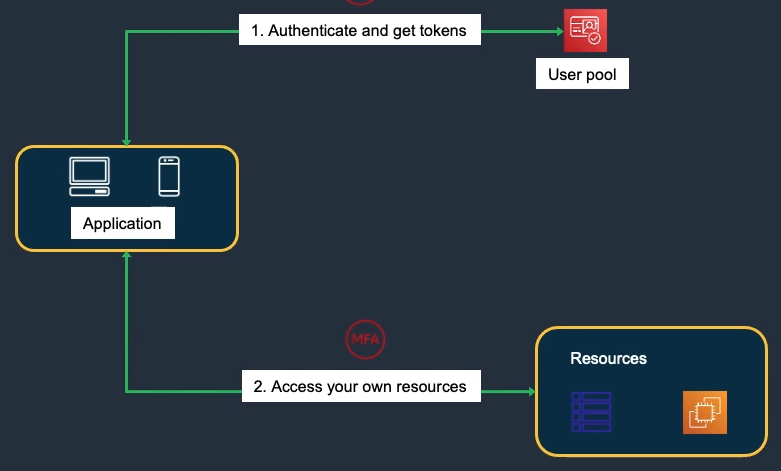
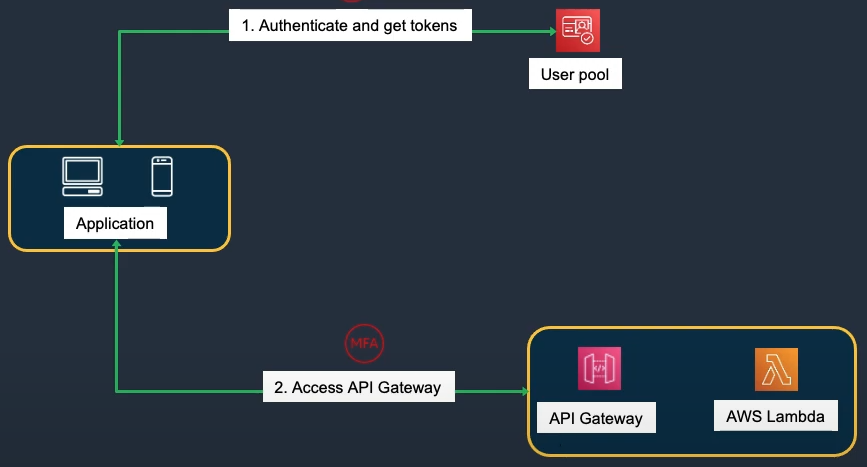
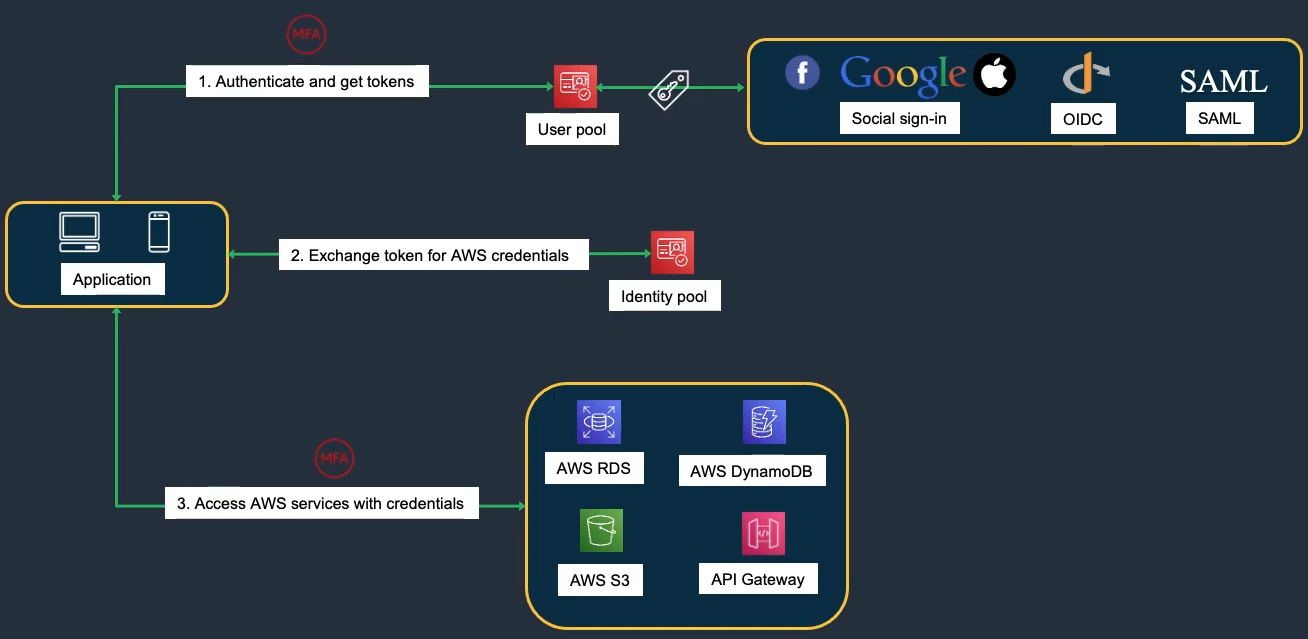
- User Pools: Sign-up/sign-in user directories.
- Identity Pools: Federated identities for temporary AWS credentials to access services.
Cognito User Pools Features:
- Sign-up and sign-in
- Social identity providers (Google, Facebook, Amazon)
- SAML identity providers
- Multi-factor authentication (MFA)
- Email and phone verification
- Custom authentication flows
- Lambda triggers for customization
Cognito Identity Pools Features:
- Temporary AWS credentials
- Authenticated and unauthenticated access
- Role-based access control
- Integration with User Pools
- Support for external identity providers
AWS Organizations
- Centrally manage multiple AWS accounts in a single organization.
Benefits
- Centralized account management
- Consolidated Billing
- Hierarchies with Organizational Units (OUs)
- Guardrails with Service Control Policies (SCPs)
Organizational Units (OUs)
- Group accounts by department, project, or environment; nest OUs for hierarchical policies.
Example OU Structure:
Root
├── Production OU
│   ├── Web App Account
│   └── Database Account
├── Development OU
│   ├── Dev Account
│   └── Test Account
└── Security OU
    └── Audit Account
Consolidated Billing
- One invoice for all accounts; volume pricing benefits; no extra cost.
Benefits:
- Volume discounts across accounts
- Easier tracking and reporting
- Simplified payment method
- Reserved Instance sharing
Hands-On Labs
Lab 28 – IAM Cross-Region Role & Policy (Part 2)
- Switch Roles → 28-5.1
- Access EC2 Console – Tokyo → 28-5.2.1
- Access EC2 Console – N. Virginia → 28-5.2.2
- Create EC2 (No Qualified Tags) → 28-5.2.3
- Edit EC2 Resource Tag → 28-5.2.4
- Policy Check → 28-5.2.5
Lab 27 – AWS Resource Groups & Tagging (Part 1)
- Create EC2 Instance with Tag → 27-2.1.1
- Manage Tags in AWS Resources → 27-2.1.2
- Filter Resources by Tag → 27-2.1.3