Internship Report > Worklog - AWS Learning Journey > Week 5 - AWS Security & Identity > Day 24 - SCPs, Identity Center & KMS
Day 24 - SCPs, Identity Center & KMS
Date: 2025-10-09 (Thursday)
Status: “Done”
Lecture Notes
Service Control Policies (SCPs)
- Define maximum permissions for accounts; they limit but do not grant permissions.
- Apply to accounts or OUs; affect all users/roles, including root; Deny overrides Allow.
Example SCP (deny bucket deletion)
{
  "Version": "2012-10-17",
  "Statement": [
    {
      "Effect": "Deny",
      "Action": ["s3:DeleteBucket"],
      "Resource": "*"
    }
  ]
}
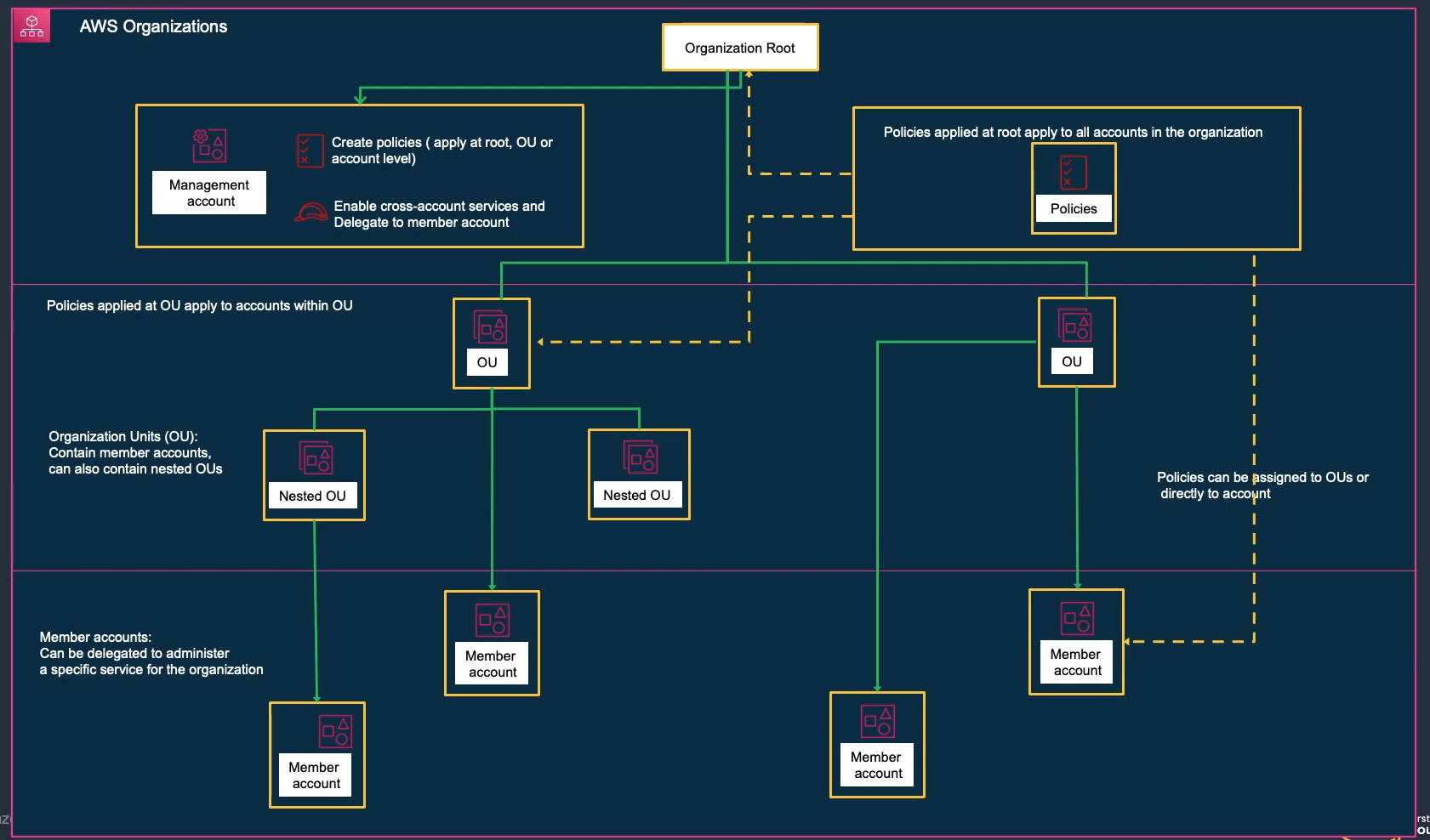
SCP Use Cases:
- Prevent accounts from leaving the organization
- Restrict regions where resources can be created
- Enforce encryption requirements
- Prevent disabling security services
- Require specific tags on resources
SCP Best Practices:
- Start with least privilege
- Test in non-production first
- Use explicit denies for critical controls
- Document SCP purposes
- Regular review and updates
AWS Identity Center (formerly AWS SSO)
- Centralizes access to AWS accounts and external applications.
- Identity sources: built-in, AWS Managed Microsoft AD, on-prem AD (trust/AD Connector), or external IdPs.
- Permission Sets define what users/groups can do in target accounts (materialized as IAM roles). Multiple permission sets per user are supported.
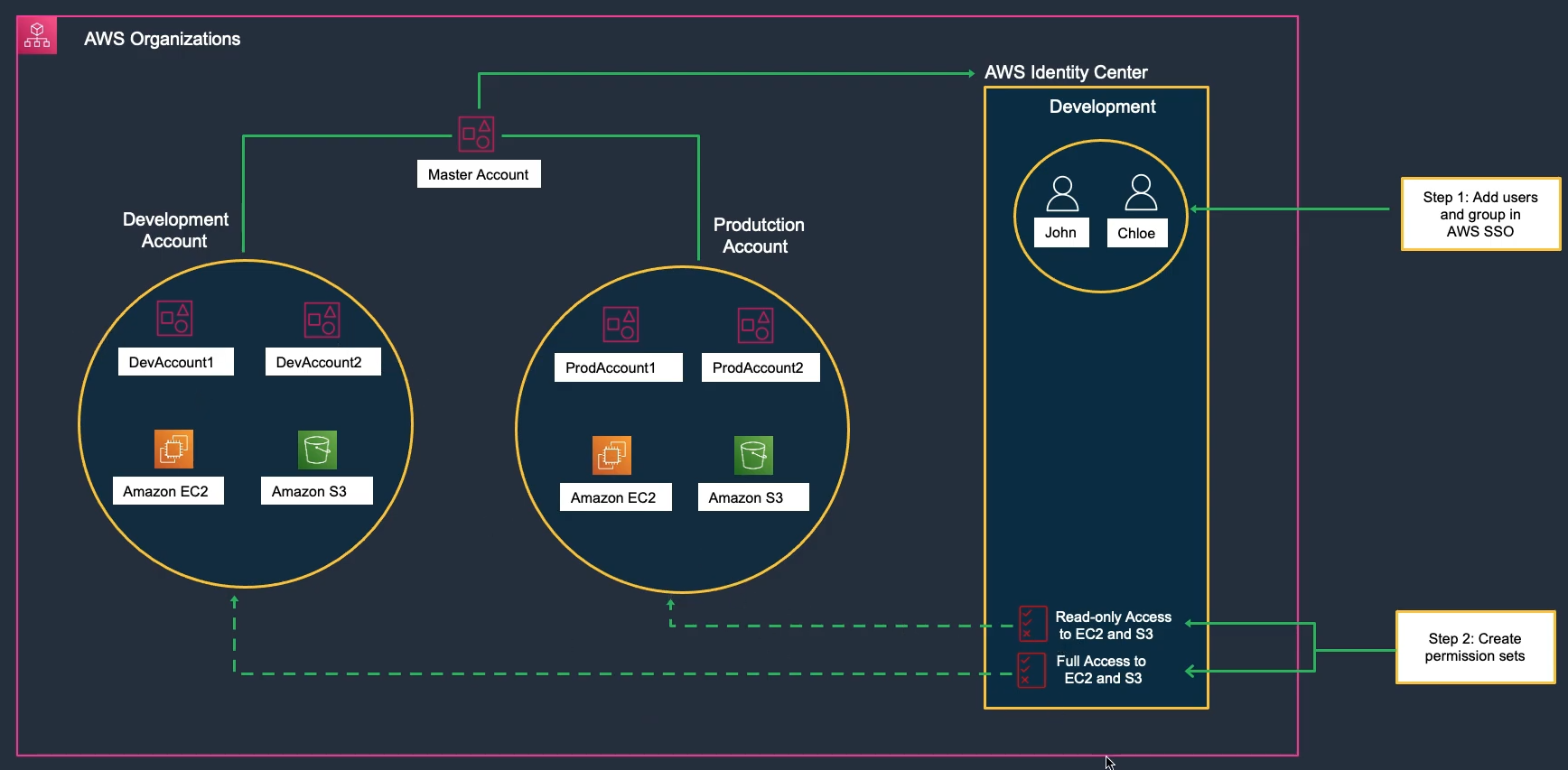
Identity Center Features:
- Single sign-on to multiple AWS accounts
- Integration with Microsoft Active Directory
- SAML 2.0 support
- Multi-factor authentication
- Centralized permission management
- Audit logging with CloudTrail
AWS Key Management Service (KMS)
- Managed keys for data protection with deep service integration and full auditability.
Highlights
- Create/manage keys without operating your own HSM infrastructure.
- Fine-grained access via IAM & key policies; usage logged in CloudTrail.
Key categories
- Customer-managed keys, AWS-managed keys, and AWS-owned keys.
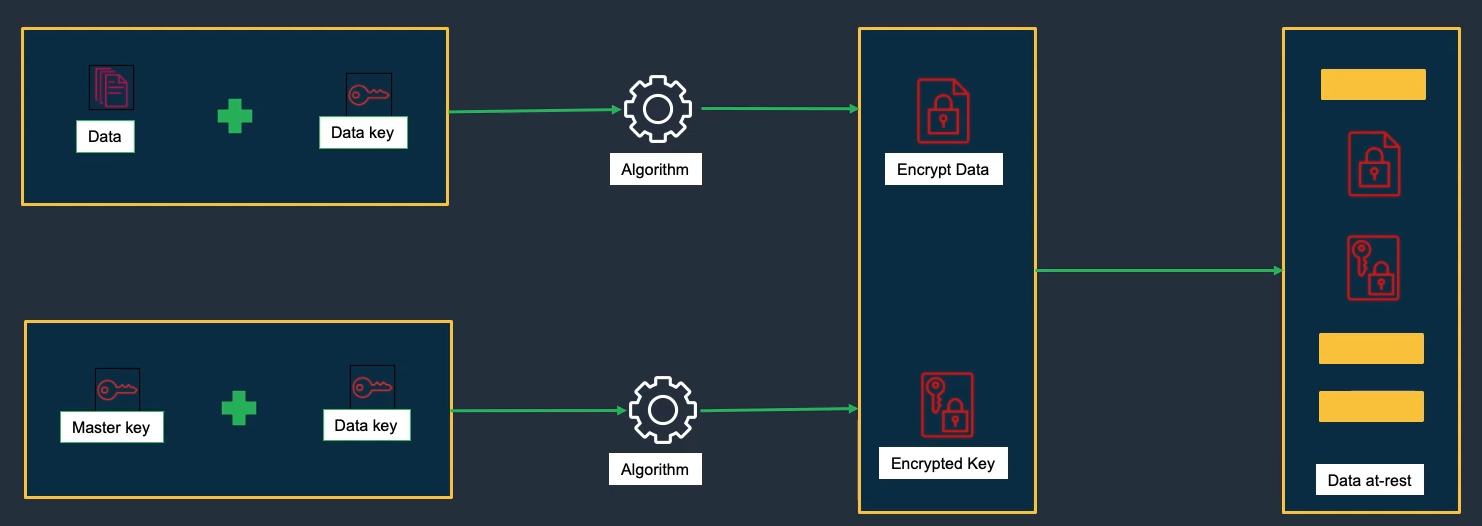
KMS Key Types:
- Symmetric: Single encryption key (AES-256)
- Asymmetric: Public/private key pair (RSA, ECC)
KMS Features:
- Automatic key rotation
- Key policies and grants
- Envelope encryption
- Integration with AWS services
- CloudTrail logging
- Multi-region keys
Hands-On Labs
Lab 33 – AWS KMS & CloudTrail Integration (Part 1)
- Create Policy and Role → 33-2.1
- Create Group and User → 33-2.2
- Create KMS Key → 33-3
- Create S3 Bucket → 33-4.1
- Upload Data to S3 → 33-4.2
Lab 30 – IAM Restriction Policy
- Create Restriction Policy → 30-3
- Create IAM Limited User → 30-4
- Test IAM User Limits → 30-5
- Clean Up Resources → 30-6